

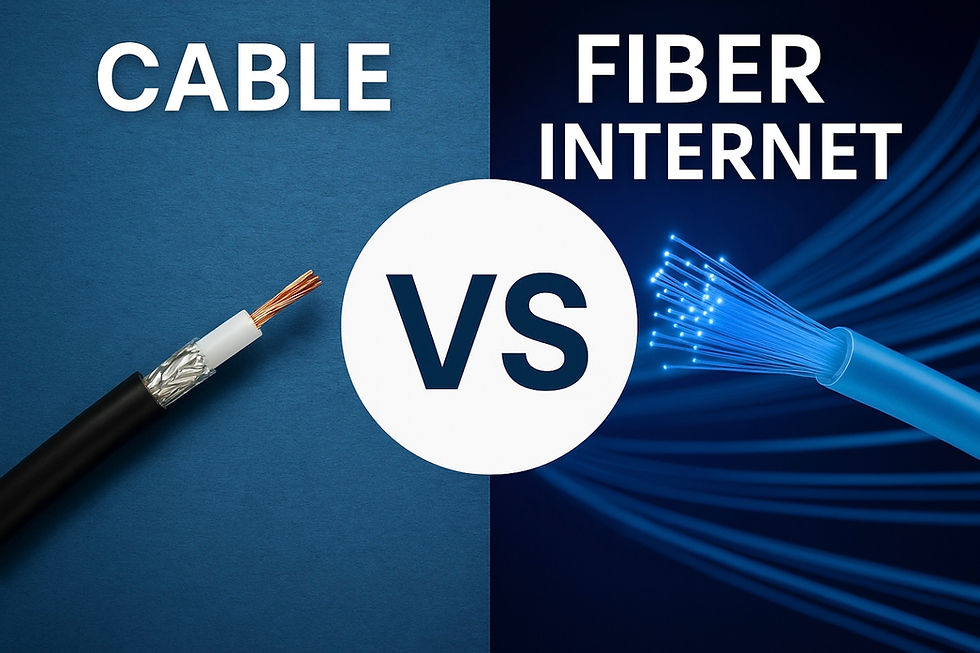
Cable vs. Fiber Internet
💻 What You Need to Know Before Choosing Your Provider
In today’s connected world, high-speed internet is more than a convenience—it’s a necessity. Whether you're working remotely, streaming 4K videos, gaming online, or managing a smart home, your internet connection plays a vital role in your daily life. But with so many providers and technologies available, how do you know which one is best?
This article breaks down the key differences between traditional broadband (offered by companies like Spectrum, Xfinity, and Cox) and newer fiber optic internet services (like AT&T Fiber, Google Fiber, and Verizon Fios). We’ll compare them based on:
🚀 Speed and bandwidth
🌐 Reliability and performance
🛠️ Technology infrastructure
🏠 Installation and delivery method
💰 Price and availability
🔮 Future-proofing your internet
🧠 Understanding the Basics: Broadband vs. Fiber
Let’s start with terminology. The term “broadband” refers to any high-speed internet connection that is always on and faster than traditional dial-up. Under this umbrella fall several types of internet technologies:
Cable internet (offered by Spectrum, Xfinity, Cox, etc.)
DSL internet (Digital Subscriber Line)
Fiber optic internet (AT&T Fiber, Google Fiber, Verizon Fios)
Satellite internet
Fixed wireless
In this article, we’ll focus mainly on cable vs. fiber—the two most common forms of broadband in suburban and urban areas.
🔌 Cable Internet: The Backbone of Legacy Broadband
Cable internet uses the same coaxial cable lines that deliver cable television. These cables are made of copper and transmit data through electrical signals.
🏢 How It Works
Cable internet uses a hybrid fiber-coaxial (HFC) network.
Fiber optic lines may run to a neighborhood node, but the final stretch to your home is coaxial cable.
Your home receives data from the cable modem, which then connects to your router.
🧪 Typical Speeds
Download: 100 Mbps to 1,200 Mbps (1.2 Gbps)
Upload: 5 Mbps to 40 Mbps
Example: Spectrum’s Gig plan offers up to 1 Gbps down, but only around 35 Mbps up.
📉 Limitations
Asymmetrical speeds (high download, low upload)
Shared bandwidth—your connection may slow down during peak hours if neighbors are using it heavily
Signal degradation—performance can drop the farther your home is from the neighborhood node
💡 Fiber Optic Internet: The Next-Generation Standard
Fiber optic internet transmits data using light signals through strands of glass or plastic. It’s the fastest and most reliable internet currently available for home use.
🏢 How It Works
There are three main types of fiber installations:
FTTH (Fiber to the Home) – Fiber runs directly from the provider’s central office to your home’s optical network terminal (ONT). This is the gold standard.
FTTN (Fiber to the Node) – Fiber runs to a nearby cabinet, but the final leg uses copper (DSL or coax).
FTTC (Fiber to the Curb) – Fiber reaches the curb, and the last few hundred feet are served by copper lines.
Only FTTH is considered true fiber internet. With FTTN or FTTC, speeds and performance can suffer similarly to cable.
⚙️ Installation Details
A technician installs an ONT (Optical Network Terminal) inside or near your home.
Fiber cabling is connected to this ONT.
From there, Ethernet cables connect the ONT to your router or gateway.
🧪 Typical Speeds
Download and upload: 100 Mbps to 5,000 Mbps (5 Gbps)
Symmetrical speeds (equal upload and download)
Example: Google Fiber and AT&T Fiber offer 1 Gbps and 2 Gbps symmetrical plans.
🚀 Speed Comparison
Feature | Cable Internet (e.g., Spectrum) | Fiber Optic Internet (e.g., AT&T Fiber) |
Download Speed | 100 Mbps – 1.2 Gbps | 300 Mbps – 5 Gbps |
Upload Speed | 5 – 40 Mbps | 300 Mbps – 5 Gbps |
Symmetry | Asymmetrical | Symmetrical |
Latency (Ping) | 20–40 ms | 5–20 ms |
Peak Hour Slowdowns | Common | Rare |
Shared Bandwidth | Yes | No (if FTTH) |
Verdict: Fiber clearly wins in speed, especially for uploading large files, video calls, cloud backups, and online gaming.
🌐 Reliability and Performance
⚡ Cable
Affected by congestion—especially in neighborhoods with many users
More susceptible to outages due to weather, interference, or line damage
Latency is higher, which impacts real-time applications like Zoom, Twitch, or online gaming
🌟 Fiber
Immune to electromagnetic interference
More stable connections, even during high usage periods
Low latency and jitter, ideal for remote work, streaming, or competitive gaming
Consistent performance regardless of distance from provider
Winner: Fiber—especially for remote professionals, digital creatives, and anyone who values stability.
🏠 Installation Differences
🧰 Cable Installation
Usually quick and easy—most homes already have coaxial lines
Modem provided by provider (or BYO)
Often bundled with TV service
Shared infrastructure = potential for slower speeds
🔧 Fiber Installation
If FTTH, fiber is run all the way to a new ONT on your home
May require drilling or trenching if fiber is not pre-installed
Faster inside speeds due to newer equipment
Some homes only get FTTN, meaning last leg is still copper (be cautious!)
Important Note: Ask providers whether the fiber line is run all the way to your home (FTTH) or if it transitions to coax or copper (FTTN/FTTC). Only FTTH ensures full fiber benefits.
🧾 Price and Availability
💸 Cable
Widely available, even in rural or older neighborhoods
Bundling with TV can save money
Introductory offers start low but rise after 12 months
Example: Spectrum 500 Mbps plan may start at $49.99/month
💰 Fiber
Expanding rapidly in urban and suburban areas
Less available in rural areas (although that’s changing)
Competitive pricing, often with no contracts or hidden fees
Example: Google Fiber 1 Gbps plan is $70/month, no data caps
Watch for: Installation fees, equipment rental charges, and promotional expiration dates.
🌎 Environmental and Infrastructure Impact
🏗️ Cable
Uses existing infrastructure (coaxial copper cables)
Limited ability to scale with future internet demands
Less energy-efficient than fiber
🌱 Fiber
Can handle growing internet needs for decades
More environmentally friendly due to lower energy use
Durable and resistant to weather damage
Fiber is considered the most future-proof technology for home internet.
🧮 Use Case Scenarios: Which Is Better?
Scenario | Recommended Option | Why? |
Remote worker using video calls and cloud | Fiber | Low latency, high upload |
Family streaming on multiple devices | Either (Fiber better) | Cable works, but fiber is more consistent |
Competitive gamer | Fiber | Lower ping and jitter |
Budget-conscious user with basic needs | Cable | Lower intro cost |
Photographer or YouTuber uploading content | Fiber | Upload speed crucial |
Rural resident | Likely cable | Fiber may not be available (yet) |
❗ Watch Out for “Fiber-Washing”
Many cable companies now advertise “fiber-powered” internet. This often means:
Fiber is run to the node or street (not your home)
The last leg is still coaxial cable
You won’t get symmetrical speeds or true fiber performance
Ask the provider directly:
Is this a full FTTH connection?
What are the upload speeds?
Will there be coaxial or copper between the fiber line and my router?
Don’t settle for vague answers—know what you’re paying for.
🧠 Final Thoughts: Which One Should You Choose?
💬 If fiber is available in your area:
Choose it. Period.
The symmetrical speeds, rock-solid reliability, and future-proof technology make it the clear winner for households of all sizes.
🔌 If only cable is available:
It’s still a solid option—especially with fast download speeds. Just be mindful of upload limitations and peak-hour slowdowns.
✅ Summary: Fiber vs. Cable at a Glance
Feature | Cable | Fiber |
Technology | Coaxial cable (copper) | Light signals (glass fiber) |
Download Speed | Up to 1.2 Gbps | Up to 5 Gbps |
Upload Speed | Up to 40 Mbps | Up to 5 Gbps |
Latency | Higher | Lower |
Reliability | Variable | Excellent |
Installation | Quick if coax exists | Requires ONT & fiber line |
Price | Lower initial offers | Higher but more stable |
Best For | Budget users, TV bundles | Remote work, creators, gamers |
🏁 The Bottom Line
Fiber is the future. If you have the option to go with true fiber to the home (FTTH), you’ll enjoy blazing-fast speeds, symmetrical uploads and downloads, and a rock-solid connection that can handle anything you throw at it—now and well into the future.
But don’t count out cable entirely. In areas without fiber, cable broadband remains a reliable and fast option, especially for everyday internet usage and streaming.
As infrastructure expands, more homes will gain access to fiber, and internet providers will face growing pressure to improve transparency, speeds, and pricing.
Until then, ask smart questions. Read the fine print. And pick the provider that best supports how you live, work, stream, and connect.


Just the information I need to make an informed decision. Thanks.